Issue
- Import downloaded policy in ESET PROTECT or ESET PROTECT On-Prem
Solution
The ESET PROTECT or ESET PROTECT On-Prem Policy for ESET business applications can be imported using the instructions below. Policies are available only for the latest version of ESET applications. Compatibility with earlier versions cannot be guaranteed.
-
Open policy import window:
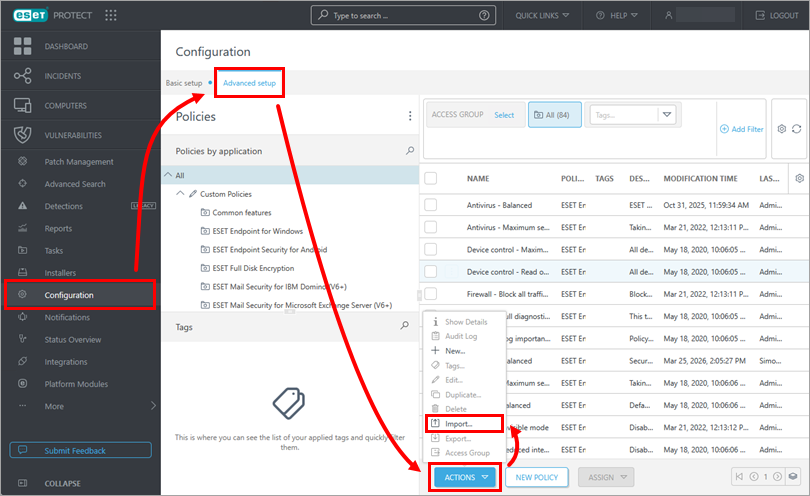
ESET PROTECT
Click Configuration → Advanced setup → Actions → Import.
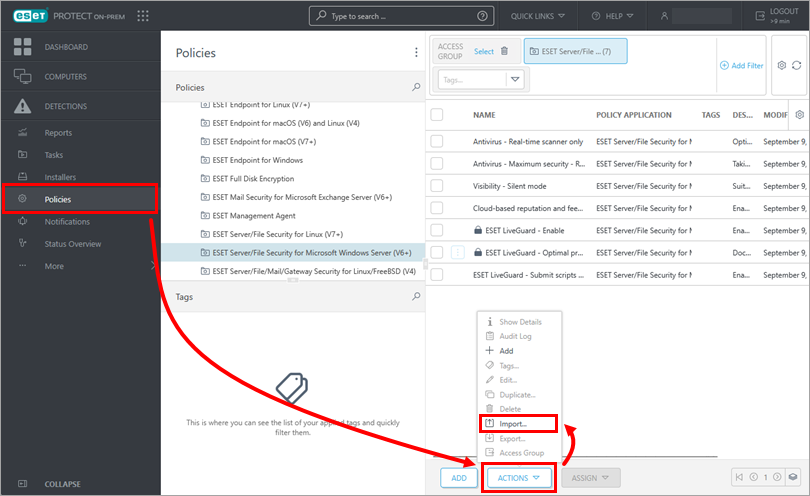
ESET PROTECT On-Prem
Click Policies → Actions → Import.
-
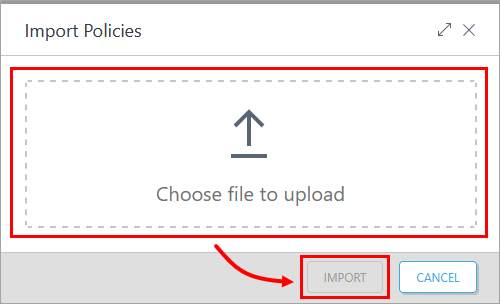
Click Choose file to upload, select the downloaded policy, and click Import.
-
Assign the policy to a client or assign the policy to a group.


