Issue
- Enable and configure ESET Full Disk Encryption via ESET PROTECT or ESET PROTECT On-Prem policy
Solution
-
In the Settings section, select ESET Full Disk Encryption from the drop-down menu, click Encryption Options, and enable the toggle next to Enable encryption. For more configuration options, see the Online Help guide.
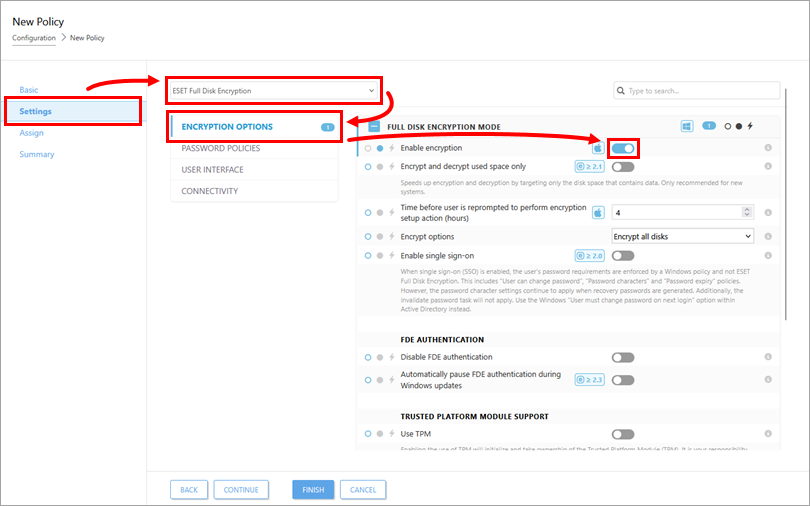
-
Assign and finish the policy. The encryption process will start on the assigned devices. Do not shut down or restart the devices during the encryption process. The time to encrypt the devices may vary depending on the amount of data stored on the devices.


