Issue
- You receive a Peer Certificate notification in your status log
- Minimum compatibility requirements for Advanced security
- Enable Advanced security in ESET PROTECT On-Prem
Details
Click to expand
- ESET PROTECT Server installation has Advanced security enabled by default
- Newly created certificates and Certification Authorities use SHA-256 (instead of SHA-1)
- ESET PROTECT Server uses the latest TLS (TLS 1.2) for communication with Agents
- Advanced Security enforces the use of TLS 1.2 for Syslog and SMTP communication
Solution
Minimum compatibility requirements for Advanced security
- Before enabling Advanced security, ensure all your client computers can communicate via TLS 1.2
- Supported operating systems: Windows, Linux, or macOS
- To enable the Advanced security feature, you must restart the ESET PROTECT Server service twice
Advanced security does not affect the existing Certification Authorities and certificates, only the new Certification Authorities and certificates created after Advanced security is enabled. To apply Advanced security in your existing ESET PROTECT On-Prem infrastructure, replace the existing certificates.
Enable Advanced security in ESET PROTECT On-Prem
-
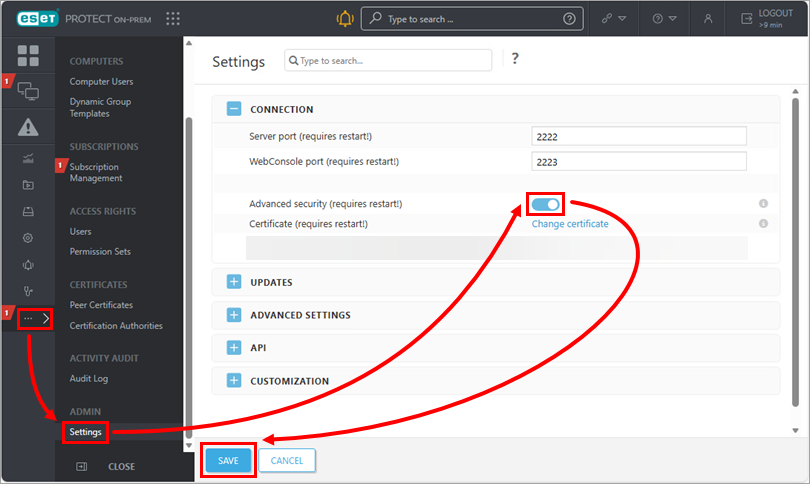
Click More → Settings. Click the toggle next to Advanced security (requires restart!) to enable it. Click Save.
-
Close the ESET PROTECT Web Console and restart the ESET PROTECT Server service.
-
Wait a few minutes after the service starts, and log in to the ESET PROTECT Web Console.
-
Verify that all computers are still connecting and that no other problems have occurred.
-
Create a new Certification Authority. The public part of the Certification Authority is automatically sent to all client computers during the next Agent-to-Server connection.
-
Create new peer certificates signed with the new Certification Authority. Create a peer certificate for Agent and one for Server (select the applicable value in the Component drop-down menu in step 2 of the linked process).
-
Apply the new Agent certificate and assign the policy to the computers where you want to use the Advanced security.
-
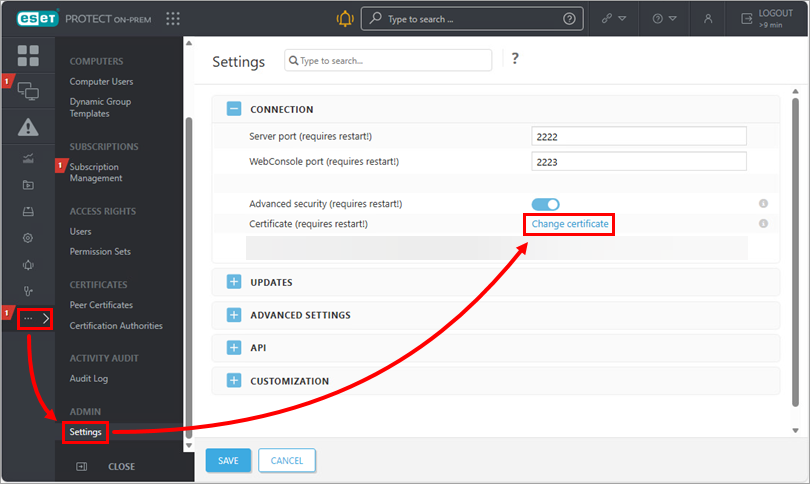
After all devices have connected to the new certificate, replace the current Server certificate with the new Server certificate. In the ESET PROTECT Web Console, click More → Settings → Change Certificate.
-
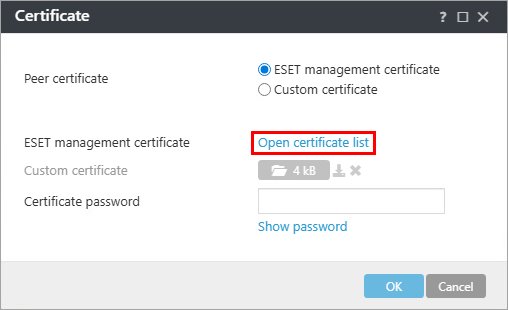
Click Open certificate list.
-
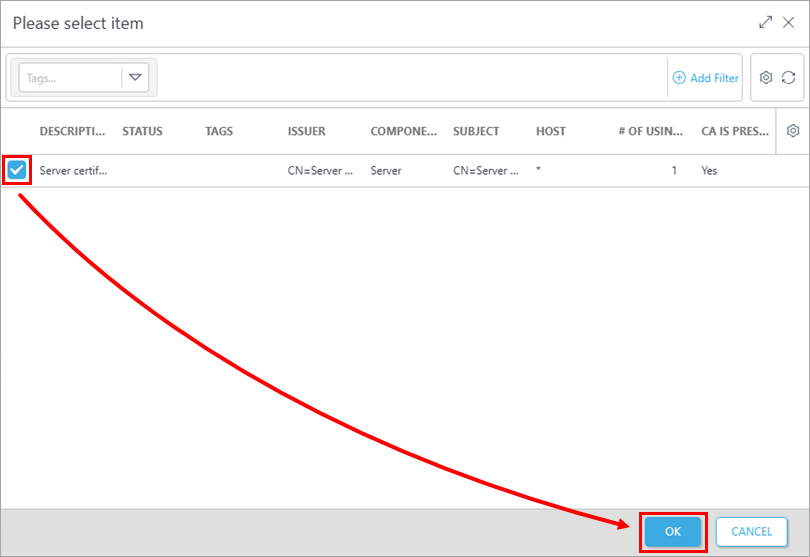
Select the new Server certificate and click OK → OK → Save.
- Restart the ESET PROTECT Server.


