Issue
- Single Sign-On (SSO) is not logging you into Windows
- The computer is slow resuming from a hibernated state or while starting up
Solution
Disabling Windows Fast Startup can help resolve the issue.
-
Press the Windows key + R.
-
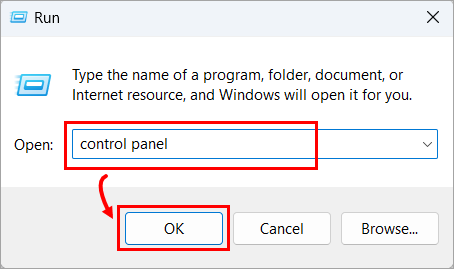
In the Open field type Control Panel and click OK.
-
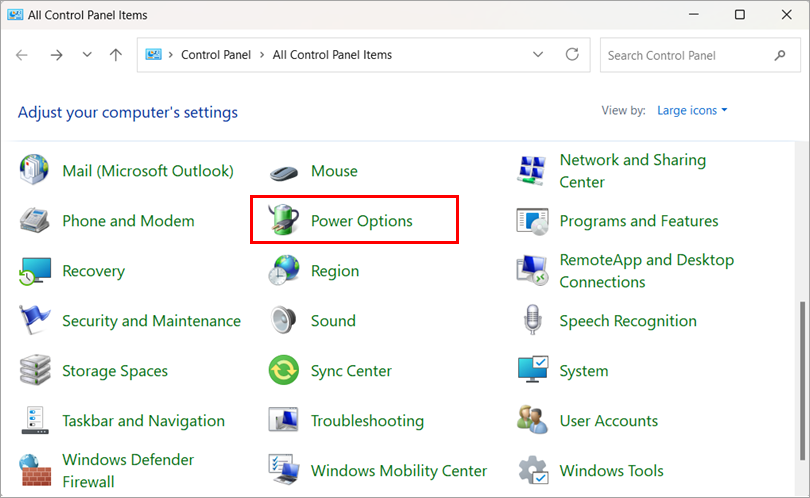
Click Power Options.
-
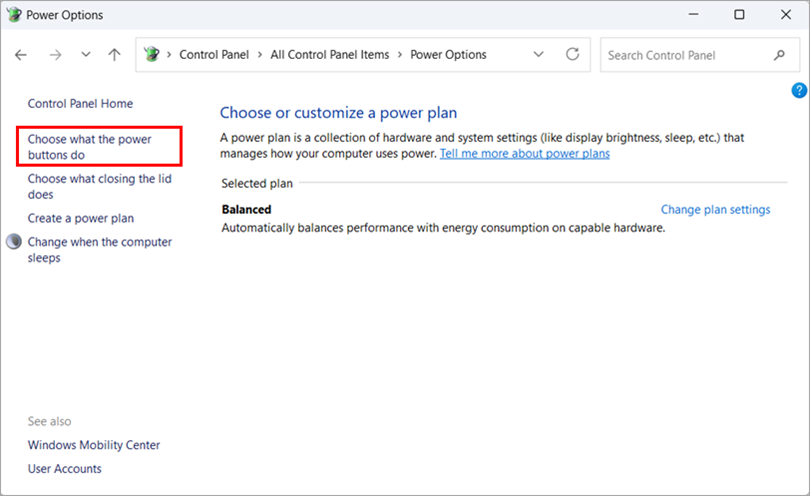
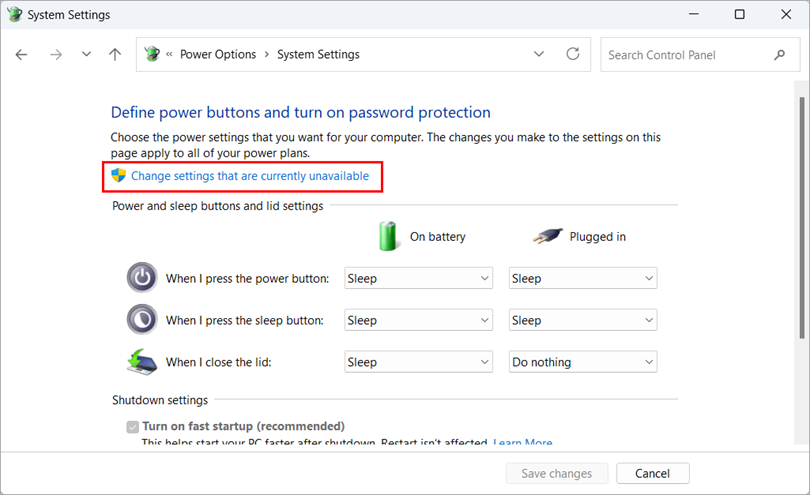
Click Choose what the power buttons do.
-
Click Change settings that are currently unavailable.
-
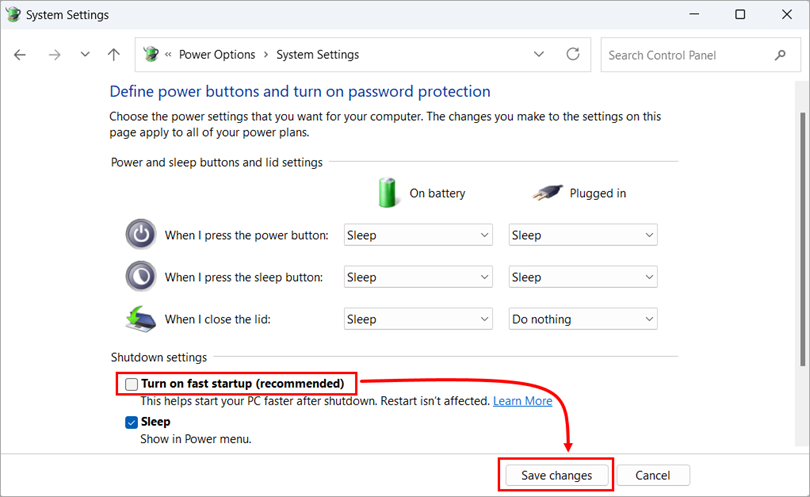
Deselect the Turn on fast startup (recommended) check box and click Save changes.