[KB5557] Uninstall ESET Parental Control for Android

ESET Parental Control for Android End of Life

The End of Sale date was June 30, 2025. After this date, customers cannot purchase a new ESET Parental Control for Android subscription or renew their existing one (beyond June 30, 2026). The auto-renewal (beyond June 30, 2026) of existing subscriptions will stop.

The End of Life date is June 30, 2026. After this date, users will no longer be able to install, activate, or use the ESET Parental Control for Android app and portal.

For more information, see ESET Parental Control for Android End of Life.

Solution

Devices configured as a Child Device cannot uninstall ESET Parental Control for Android without the PIN

The parent PIN is required to change settings on a child device, including uninstalling.

How do I set the PIN in ESET Parental Control for Android?

  1. Open ESET Parental Control for Android.

  2. In the top right of the main program window, tap the menu icon and then tap Settings.
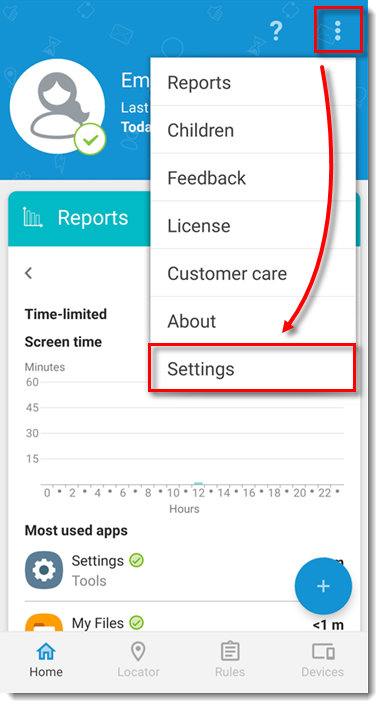
Figure 1-1
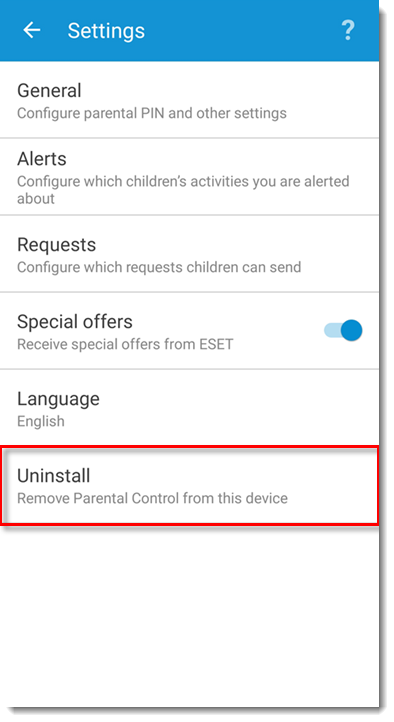
  1. Tap Uninstall.
Figure 1-2
  1. In the Parental Control pop-up window, tap OK.
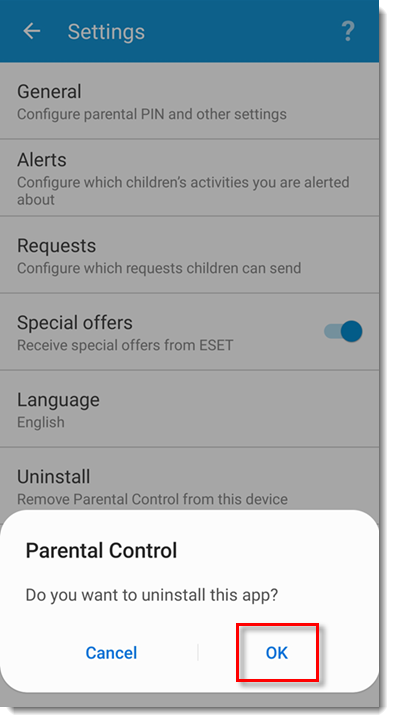
Figure 1-3
  1. ESET Parental Control is now uninstalled.