Solution
-
Open the ESET PROTECT Hub registration page.
-
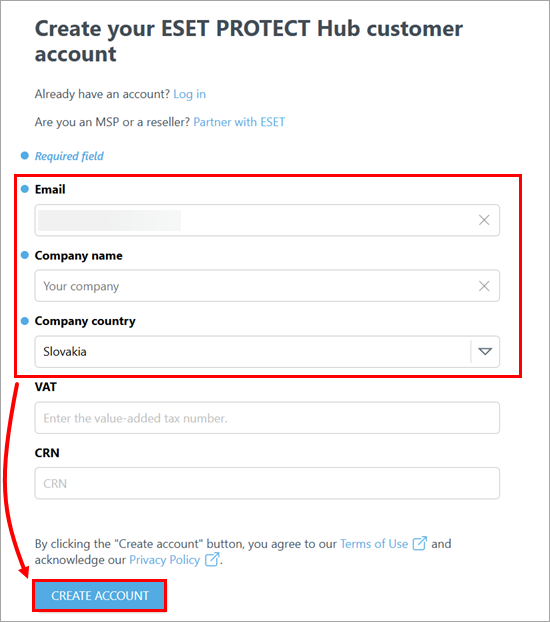
Type your email address and company name. Select the company country from the Company country drop-down menu. Optionally, type the company VAT and CRN numbers. Click Create account.
-
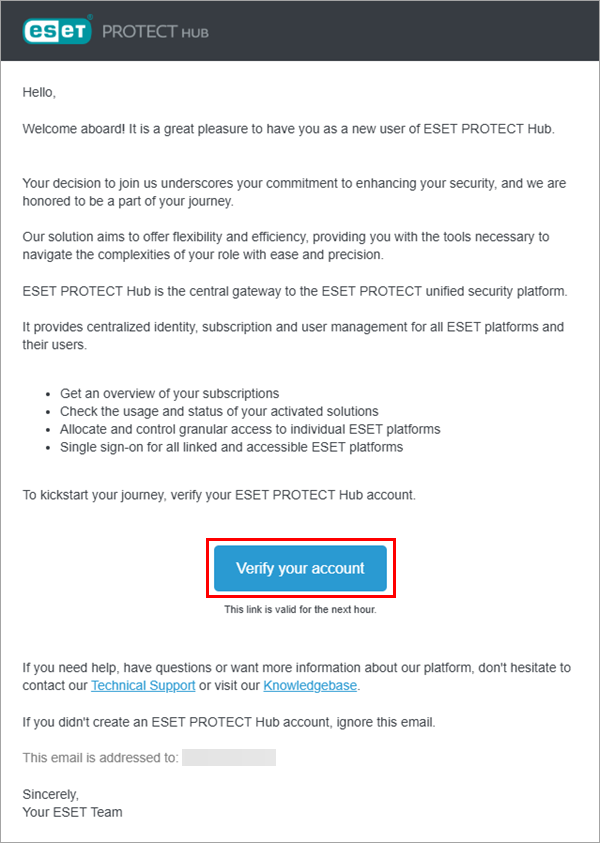
A verification email will be sent to the provided email address. Open the email and click Verify your account button within one hour.
-
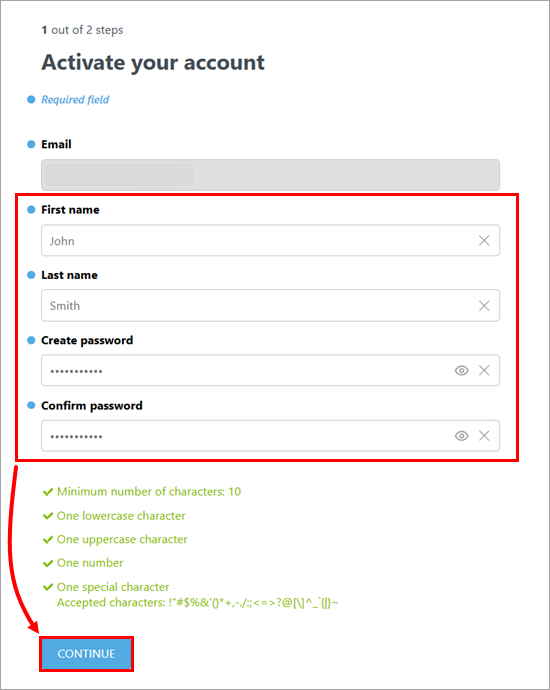
You will be redirected back to the ESET PROTECT Hub registration page. Type your first and last name. Create and confirm your password. Click Continue.
-
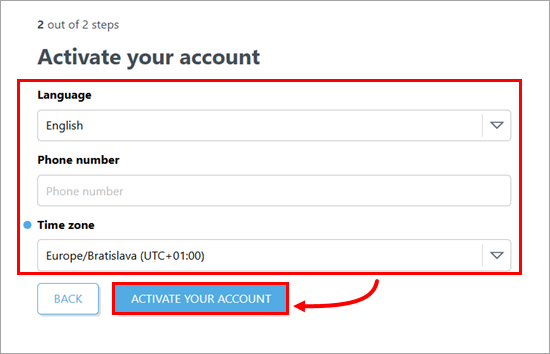
Review your account details and click Activate your account.
-
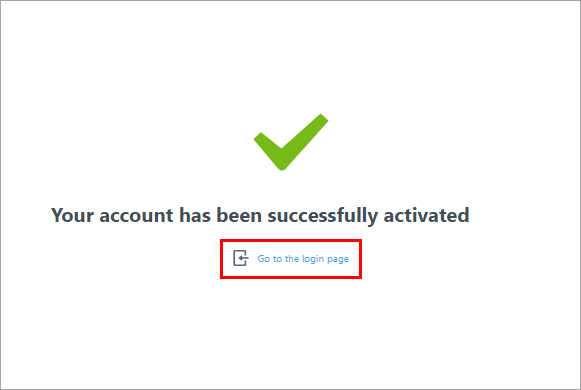
You have activated your ESET PROTECT Hub account. Click Go to the login page.
-
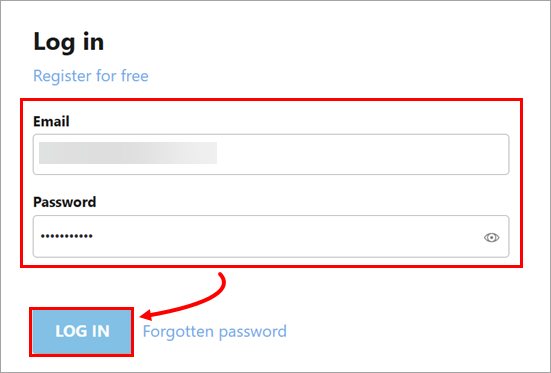
Type your email address and password and click Log in.
-
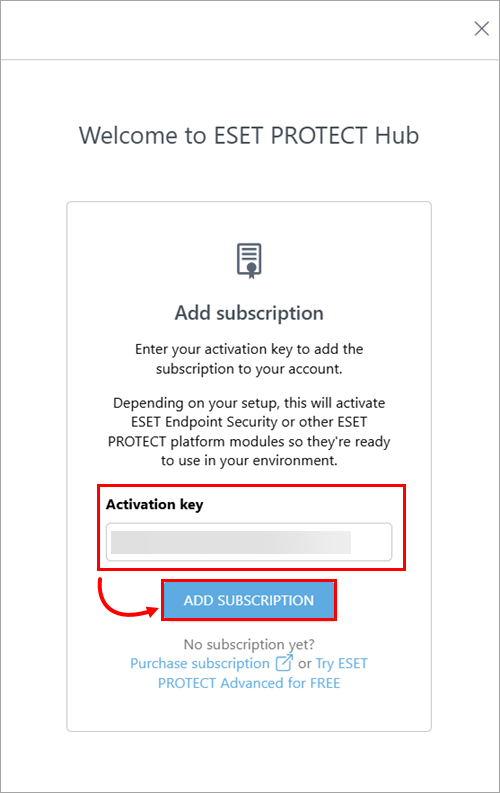
Type or copy/paste your subscription activation key and click Add subscription.
-
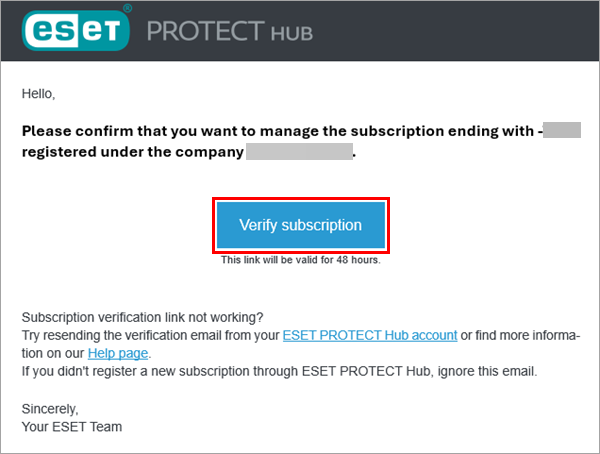
If you used a different email address to create your ESET PROTECT Hub account than the one associated with the subscription, a verification email will be sent to the subscription email address. Open the email and click Verify subscription within 48 hours.
-
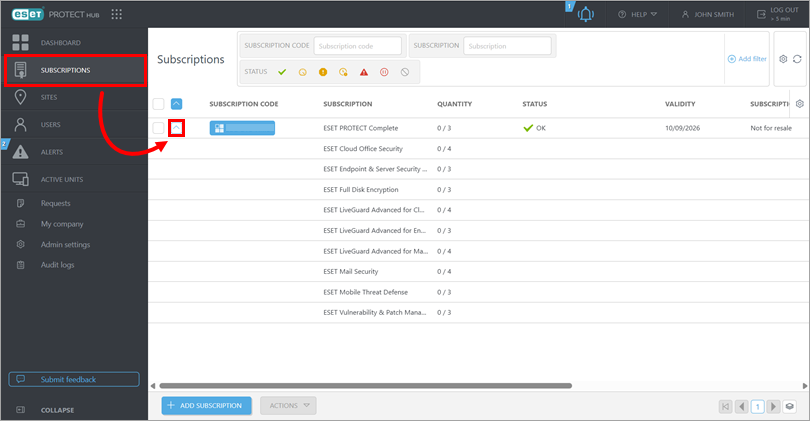
Return to ESET PROTECT Hub. Click Subscriptions and click the expander icon to view your subscription details.