Issue
- System is unresponsive, freezes or hangs on Windows computers with ESET home, small office products ESET Endpoint Antivirus for Windows and ESET Endpoint Security for Windows installed
- Windows BSOD error appears, or the computer restarts itself repeatedly
- Update the CPU, chipset and GPU drivers from the hardware manufacturer
- Update BIOS from the computer manufacturer
- Update the CPU, chipset, GPU and BIOS to the latest version using Windows Update
Details
Click to expand
- The issue involves a conflict with the CPU microcode
- Ensure your CPU drivers, chipset drivers, GPU drivers and BIOS are all updated to the latest version
Solution
Update the CPU, chipset and GPU drivers from the hardware manufacturer
Install the driver updates directly from the CPU manufacturer:
Use your device manufacturer's update utilities to install the latest BIOS and computer firmware:
Update the CPU, chipset, GPU and BIOS to the latest version using Windows Update
-
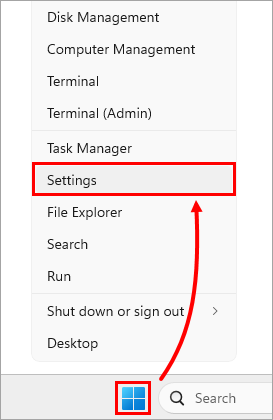
Right-click Start and click Settings in the menu.
-
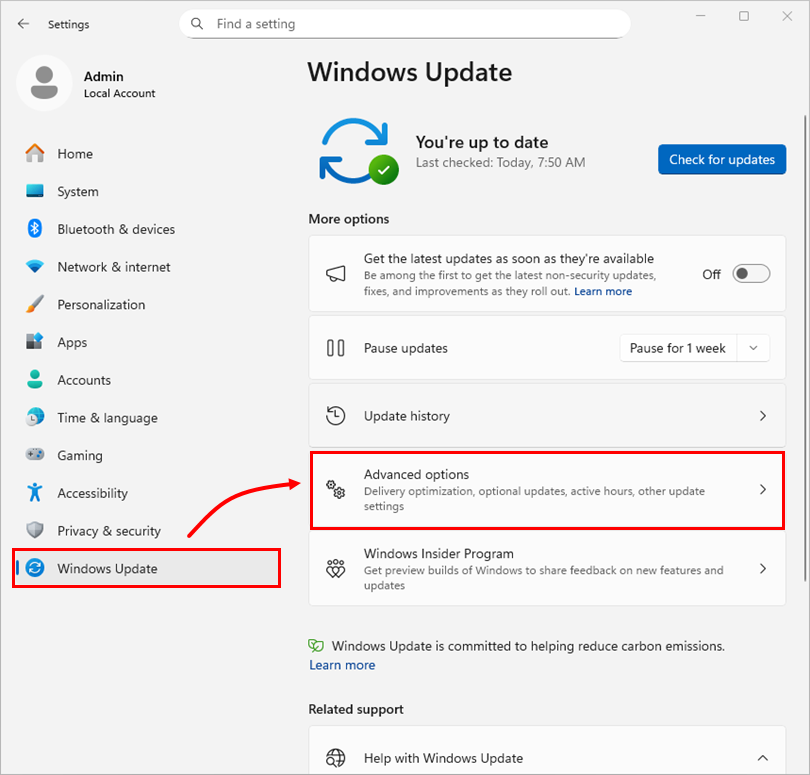
Click Windows Update → Advanced options.
-
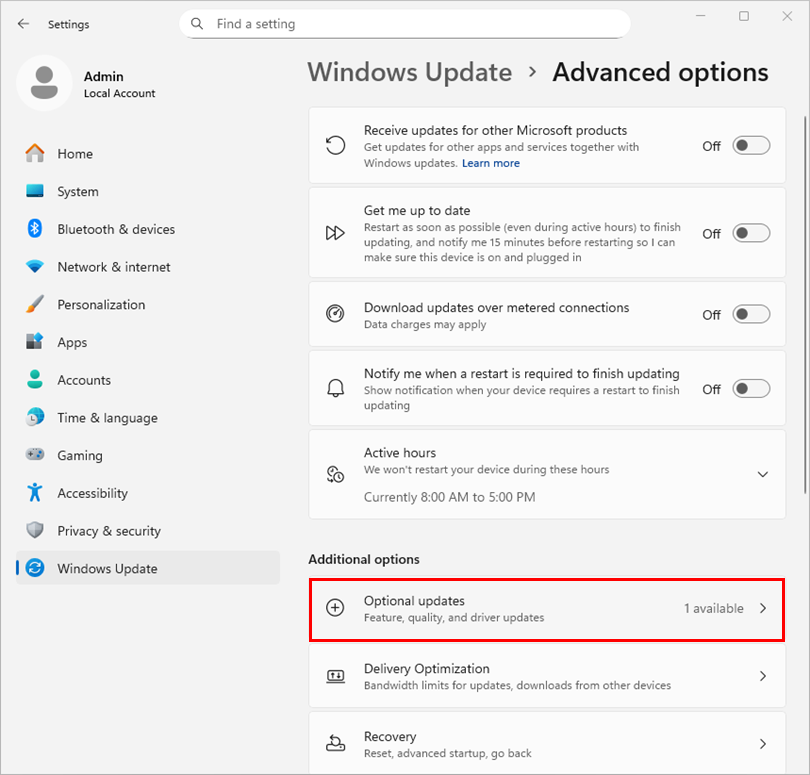
Under Additional options, click Optional updates.
-
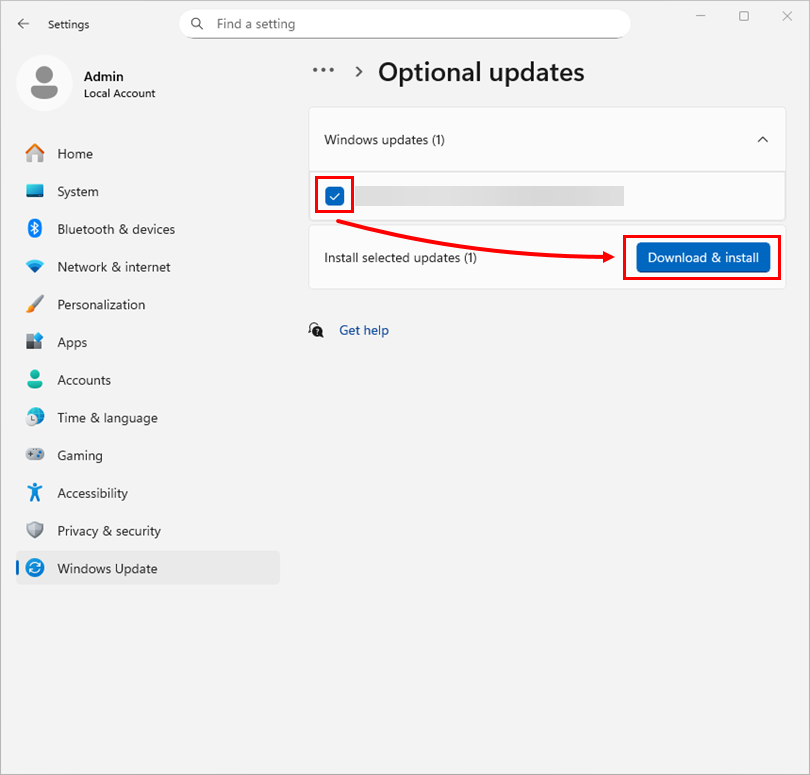
Select the check box for all available CPU, chipset, GPU, and BIOS (or firmware) updates and click Download & install.
If the previous solutions did not resolve the issue, contact ESET Technical Support.


