Issue
- Your ESET Secure Authentication (ESA) Mobile App is version 2.50.21.0 or earlier
- You installed the ESET Secure Authentication (ESA) mobile app on your iPhone as instructed. However, the ESA demo token still displays.
Solution
- On the home screen, tap Messages.
- Open the "To install ESET Secure Authentication, click" SMS text message and then tap the corresponding link.
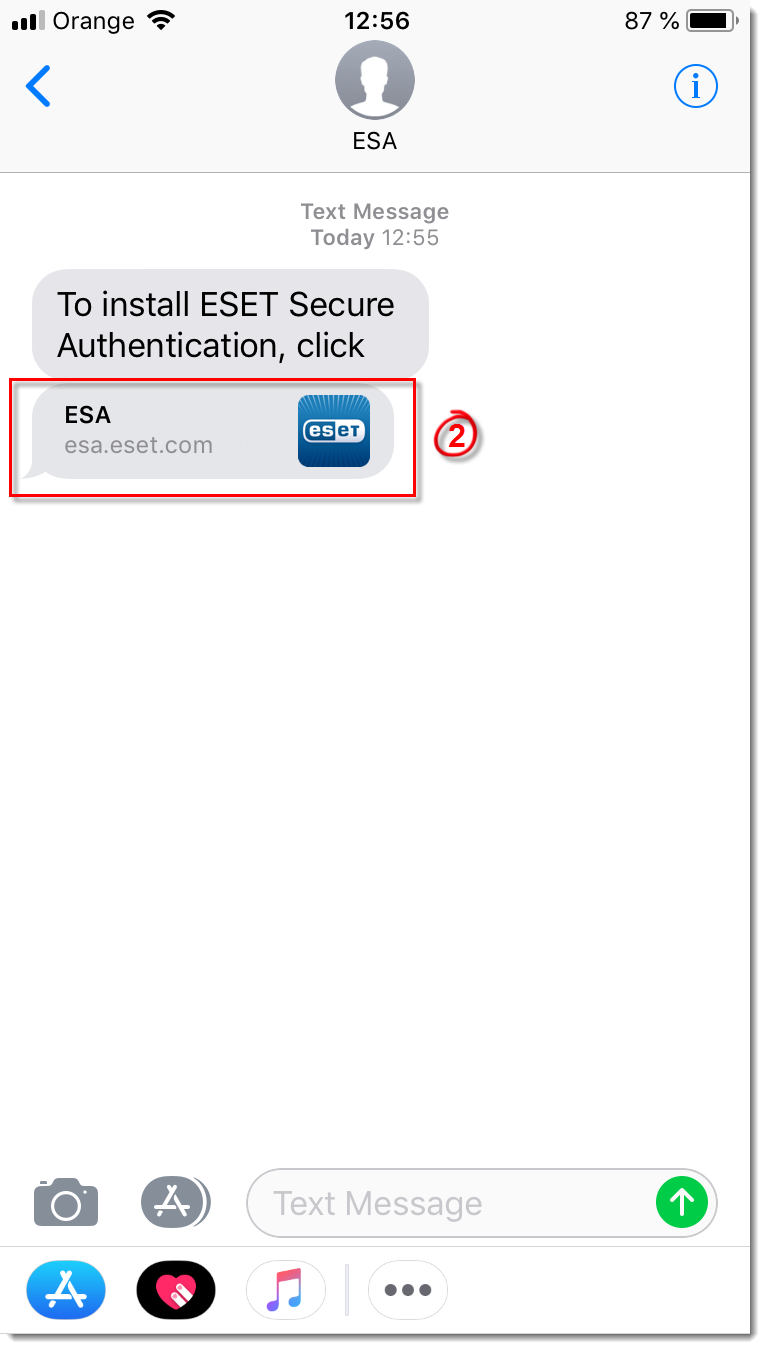
Figure 1-1
- Tap Add Account and then tap Open.
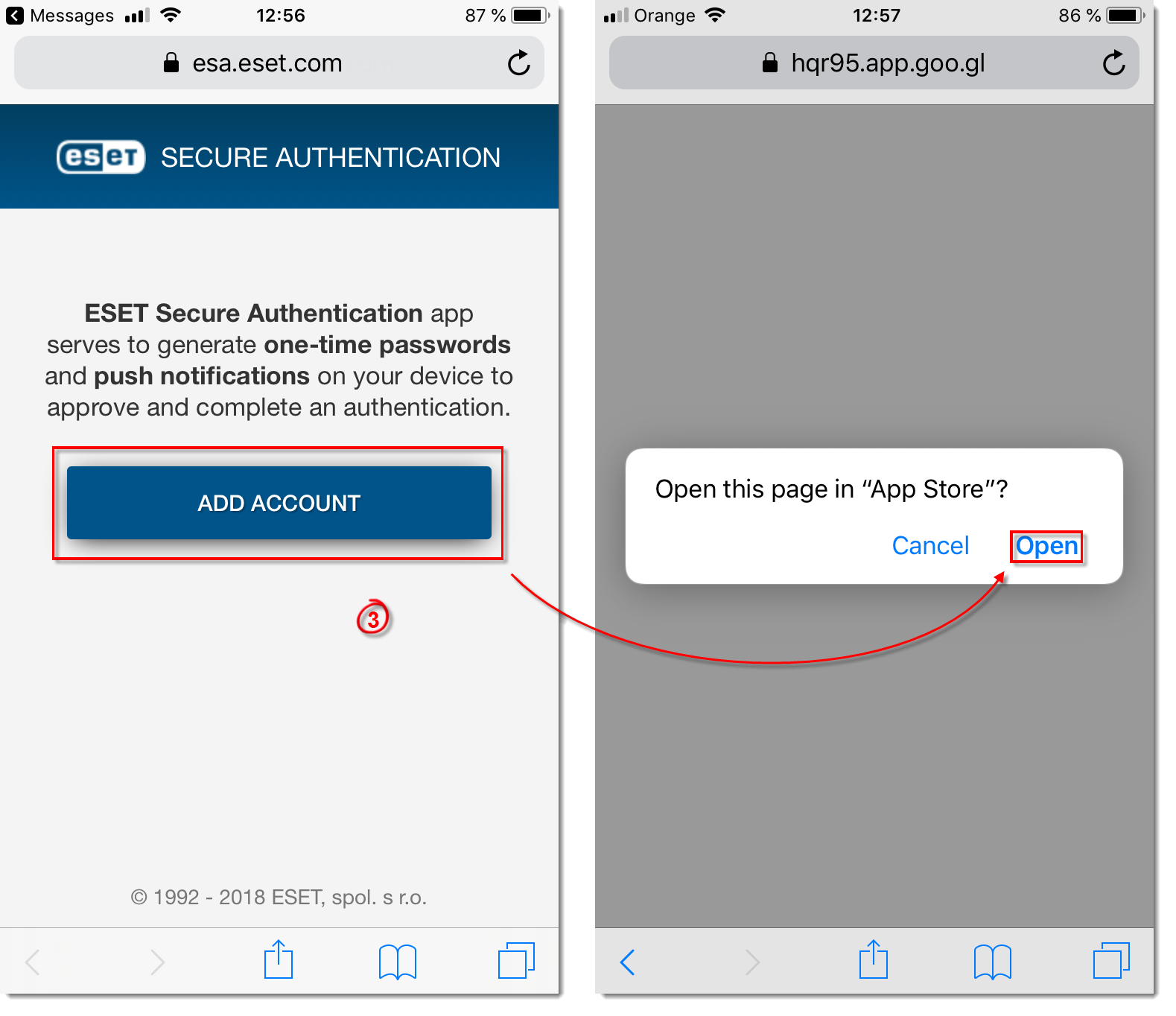
Figure 1-2
Manually add a token
If you continue to experience issues with tokens, follow the process below:
- On the home screen, tap Messages.
- Open the "To install ESET Secure Authentication, click" SMS text message and then tap the corresponding link.
Figure 2-1
- Tap Add Account > Add Manually and then follow the on-screen instructions.


