[KB8074] 使用 ESET 端点加密服务器解密受管工作站

注意:

本页已由电脑翻译。点击本页面语言下的英文,显示原文。如果你发现有什么不清楚的地方,请联系你当地的支持。

解决方案

ESET Endpoint Encryption Client and ESET Endpoint Encryption Server are separate applications from ESET Full Disk Encryption

The article below applies only to the ESET Endpoint Encryption Client or ESET Endpoint Encryption Server and not ESET Full Disk Encryption.

Visit ESET Full Disk Encryption support to view ESET Full Disk Encryption content.

  1. 登录 ESET Endpoint Encryption Server。

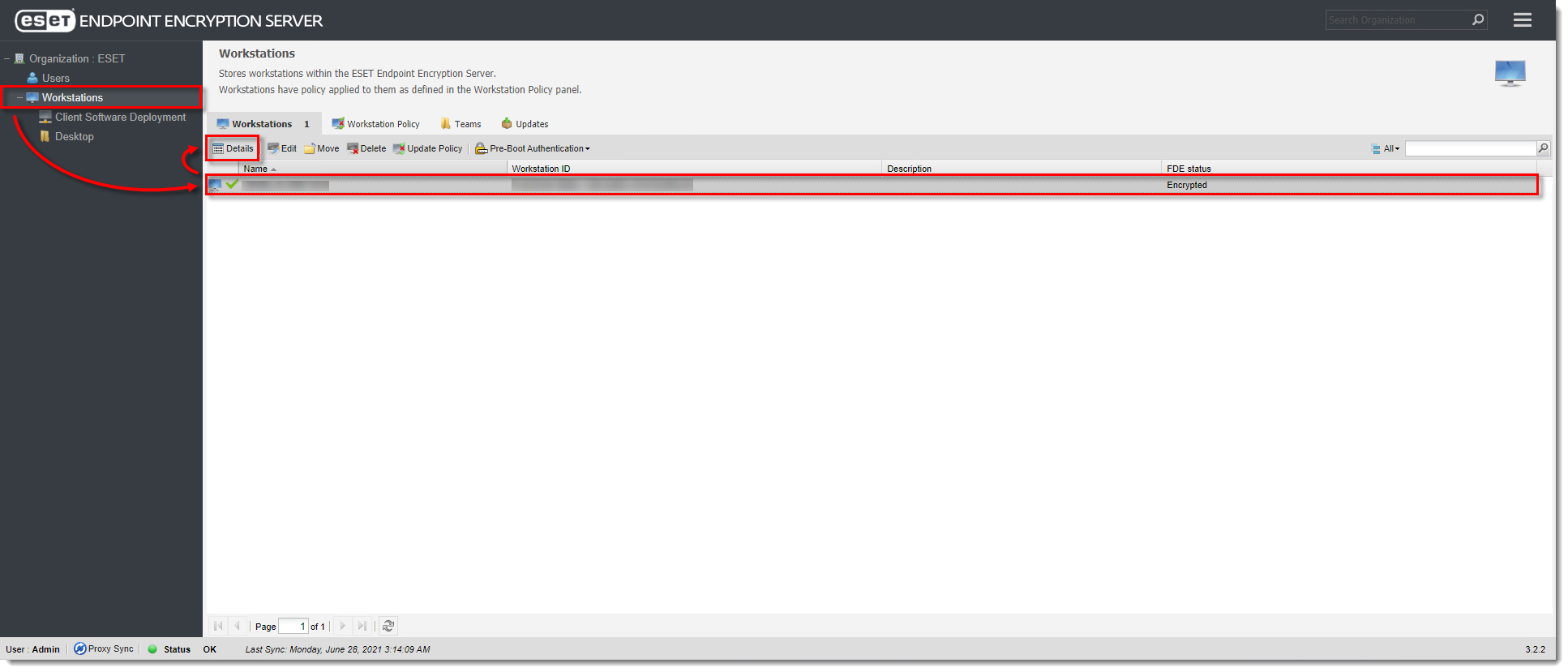
  2. 单击 "工作站",选择要解密的工作站,然后单击 "详细信息"。

图 1-1
点击图片在新窗口中查看大图
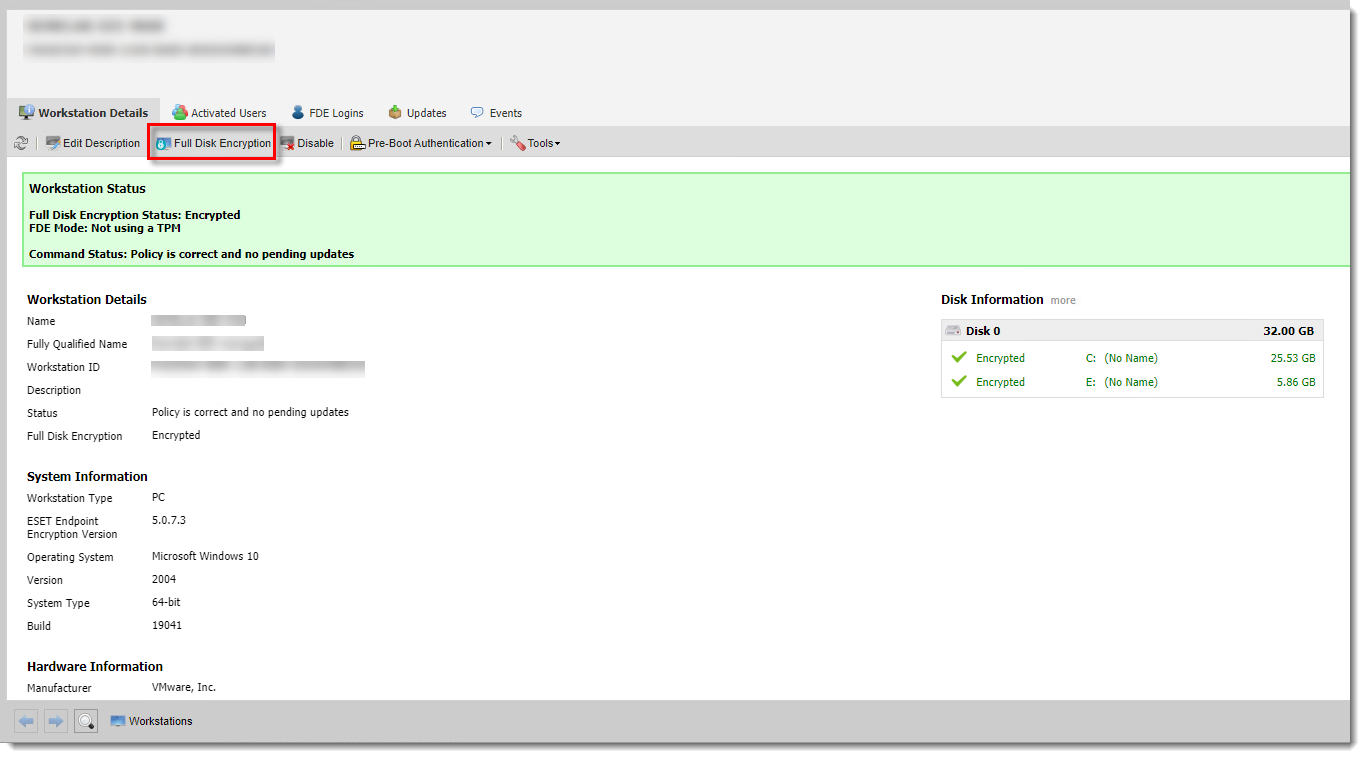
  1. 单击 "全磁盘加密"。

图 1-2
单击图片可在新窗口中查看大图
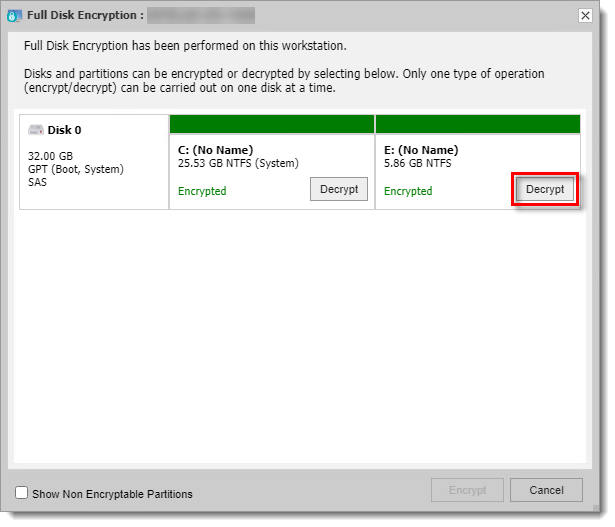
  1. 单击解密 选择要解密的磁盘或磁盘分区。

图 1-3
单击图片可在新窗口中查看大图
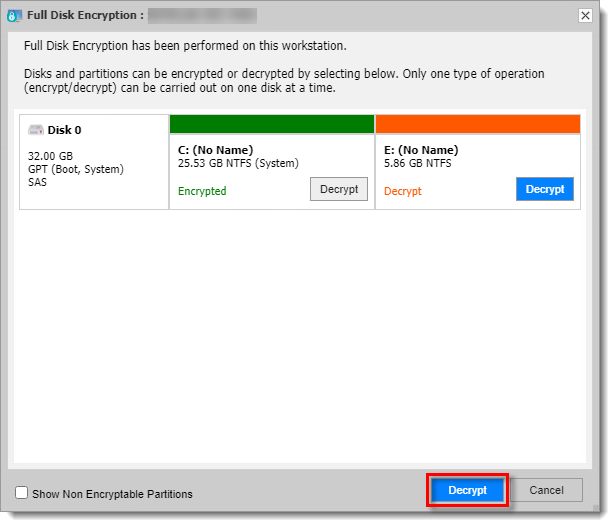
  1. 单击窗口右下方的解密 ,向工作站发送解密命令。

图 1-4
点击图片可在新窗口中查看大图
  1. 工作站与服务器同步后将开始解密过程。您可以手动同步工作站与 ESET Endpoint Encryption Server