Solution
-
In the navigation panel, click Dashboard.
-
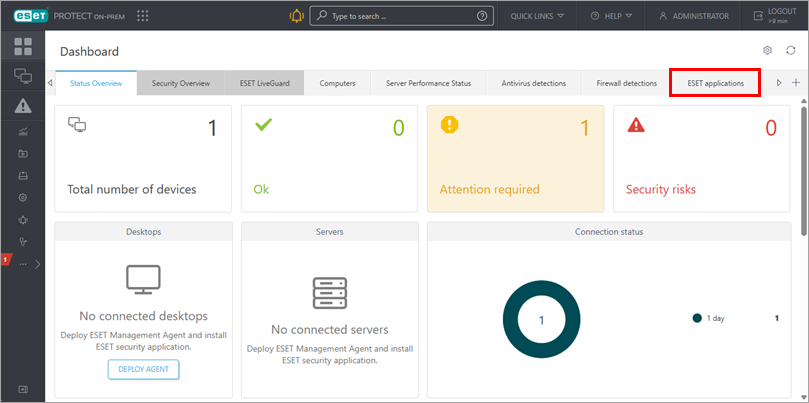
Click ESET applications.
-
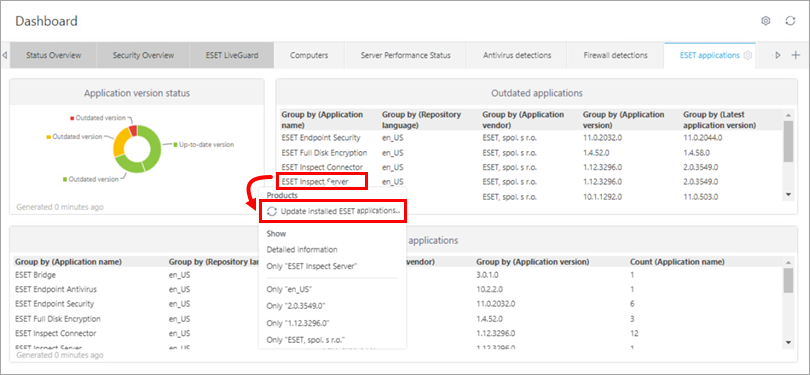
In the Outdated applications tile, click ESET Inspect Server and select Update installed ESET applications.
-
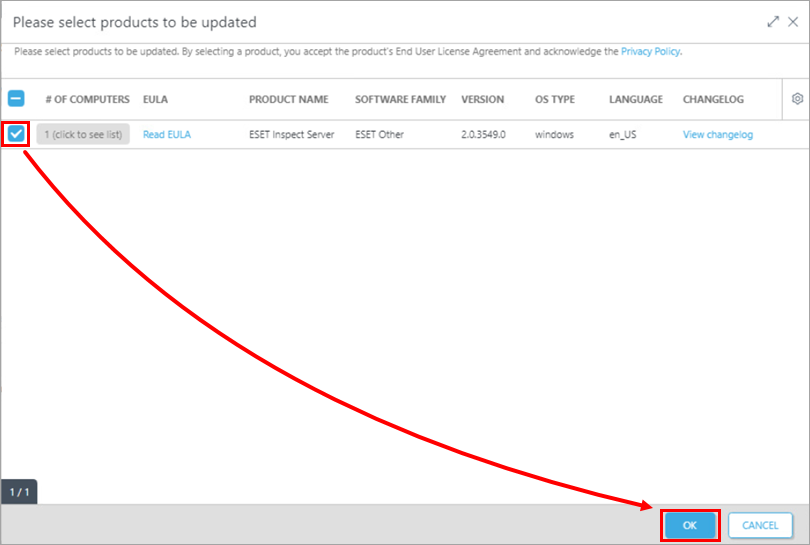
Verify that ESET Inspect Server is selected and click OK.
-
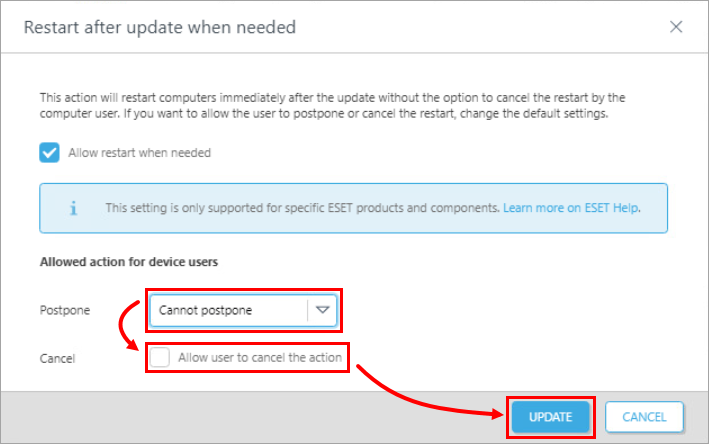
Through the Postpone drop-down menu and Cancel check box, determine whether you want to allow the device user to postpone or cancel the update. Click Update.