[KB6975] Disable the graphical user interface (egui.exe) in ESET endpoint applications

Issue

  • Disable the graphical user interface (GUI) of your ESET endpoint applications

Solution

  1. Open the main program window of ESET applications for Windows.

  2. Press F5 to access Advanced setup.

  3. Click User Interface. In the Start mode drop-down menu, select Silent and click OK.
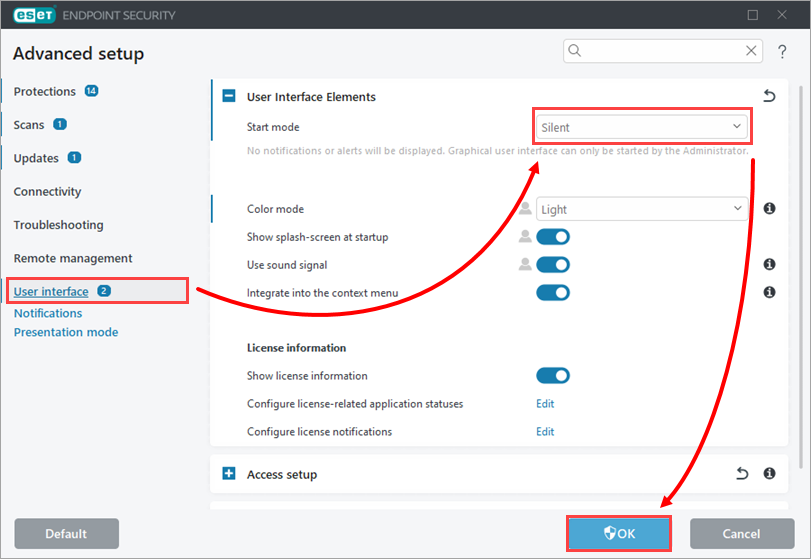
    User interface configuration

    To disable start-up splash-screen only, see Prevent the splash screen (title screen) from displaying at startup in ESET business applications.

    For an advanced configuration of all user interface elements in your ESET endpoint application for Windows, see our Online Help guide.