Issue
- ESET Technical Support has advised you to enable pre-release updates to resolve an issue with your product
- Enable pre-release updates in ESET Cyber Security
- Disable pre-release updates in ESET Cyber Security
Solution
Enable pre-release updates in ESET Cyber Security
-
Click ESET Cyber Security in the macOS menu bar (at the top of the screen) and click Settings.
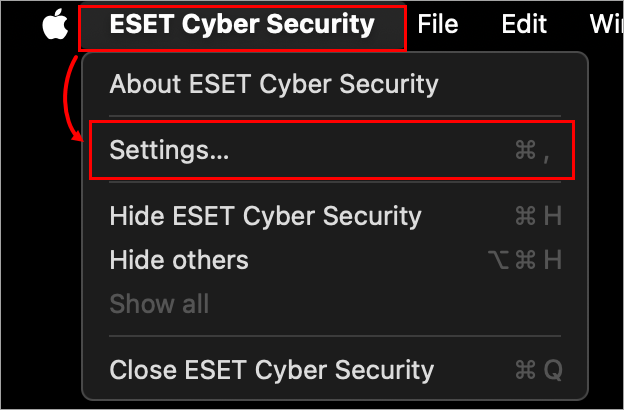
Figure 1-1 -
Click Module Updates under Updates.
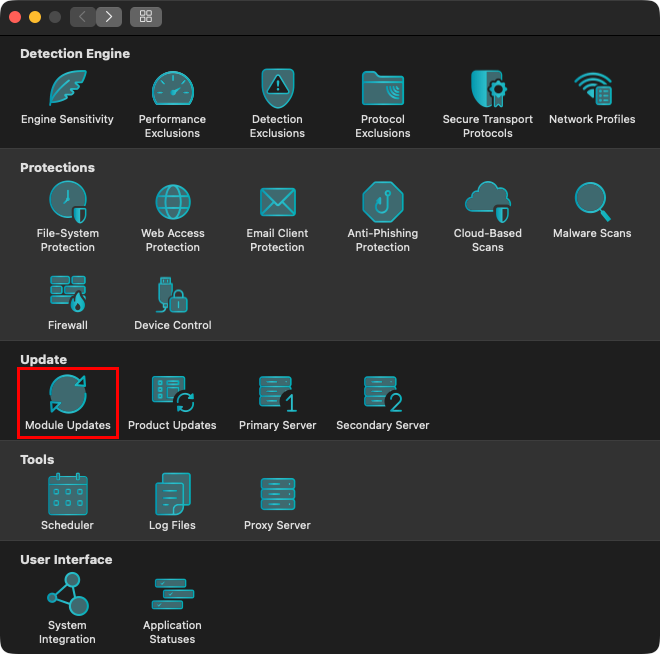
Figure 1-2 -
In the drop-down menu next to Update Type, select Pre-release update. Click the back arrow to save your changes.
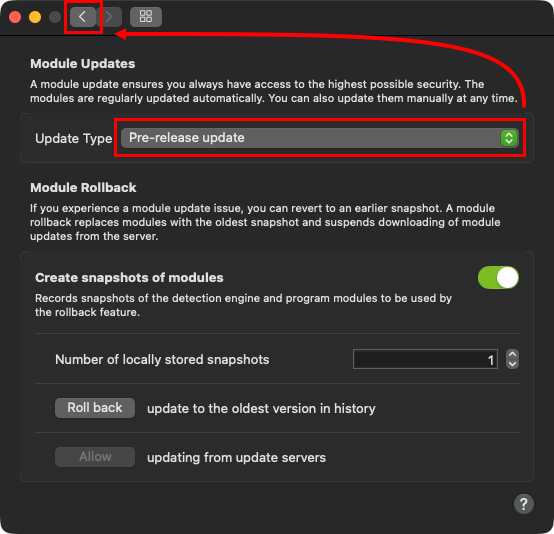
Figure 1-3
Disable pre-release updates in ESET Cyber Security
-
Click ESET Cyber Security in the macOS menu bar (at the top of the screen) and click Settings.
Figure 2-1 -
Click Module Updates under Updates.
Figure 2-2 -
In the drop-down menu next to Update Type, select Regular update. Click the back arrow to save your changes.
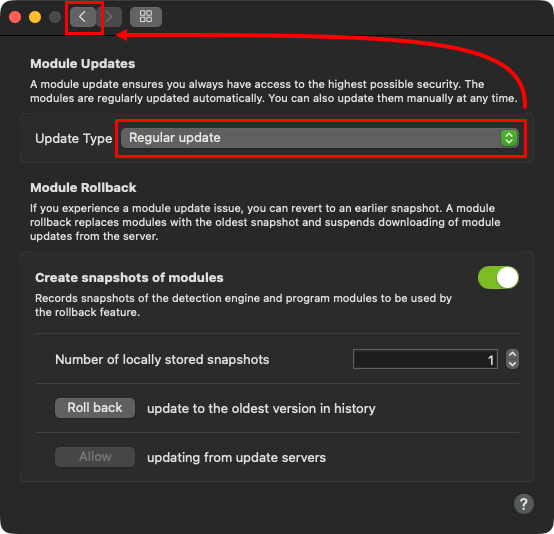
Figure 2-3


